


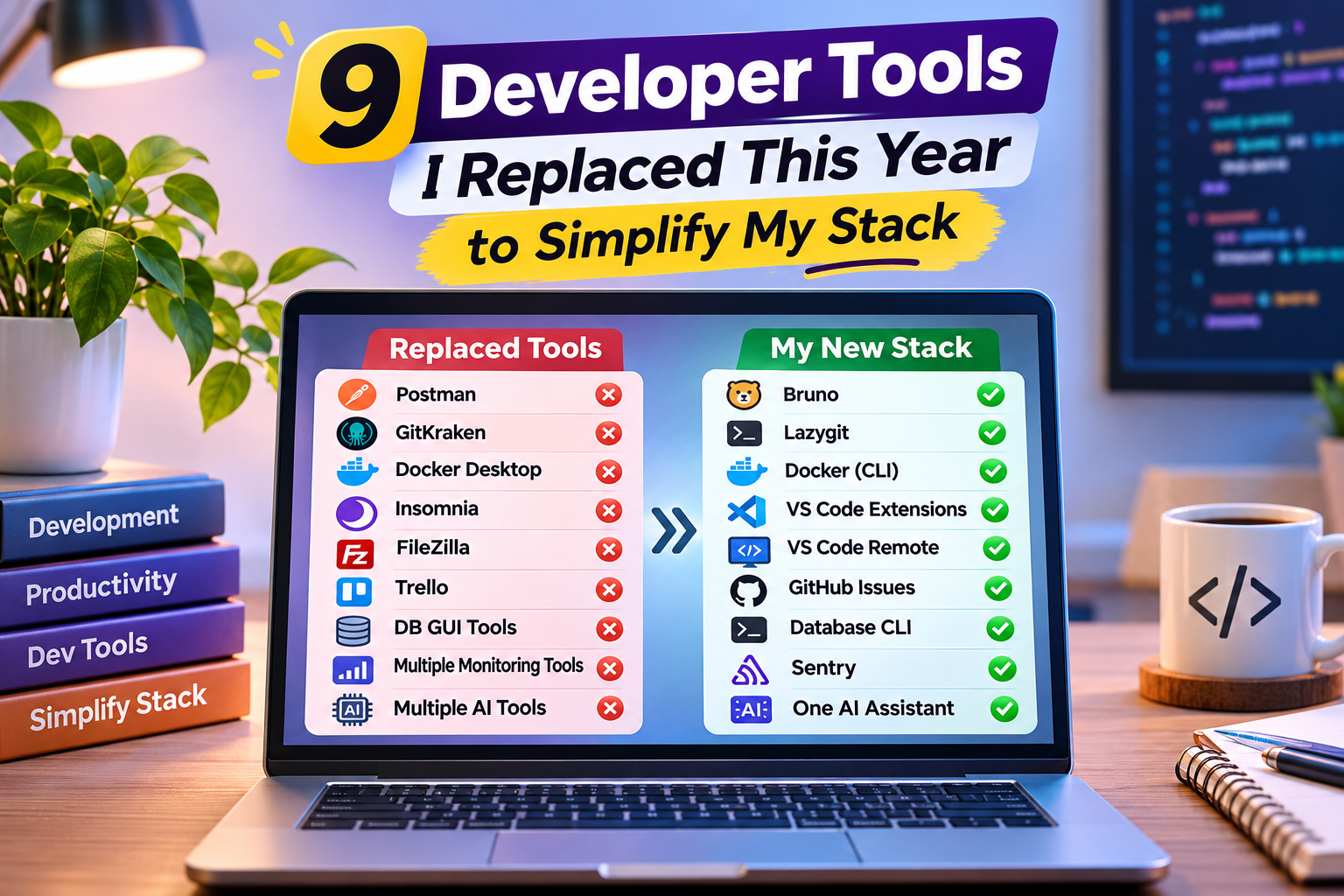
9 Developer Tools I Replaced This Year to Simplify My Stack
Developer hona kabhi-kabhi coding se zyada tools manage karne ka kaam lagta hai. Ek editor, ek API client, ek Git GUI, ek database tool, ek deployment platform aur phir un sabke extensions. Productivity badhane ke chakkar mein stack itna complicated ho jata hai ki actual development peeche reh jaata hai.
This year, I decided to simplify my developer stack. Instead of collecting more tools, I focused on replacing heavyweight or overlapping solutions with simpler alternatives.
Here are 9 developer tools I replaced this year and why the new options work better for my workflow.
1. Postman → Bruno
Postman is powerful, but for many developers, it can be more than they actually need.
I replaced Postman with Bruno, an open-source API client that stores API collections as files inside your project. This makes API requests easier to version-control alongside your code.
Bruno is especially useful when you want your API environment to stay close to your Git workflow.
Best for: Developers who want lightweight API testing and Git-friendly collections.
2. GitKraken → Lazygit
Graphical Git clients can make Git easier, but they can also add another layer between you and your repository.
I moved toward Lazygit, a terminal-based Git interface that makes common operations such as staging, commits, branches and rebasing much faster.
It keeps the workflow inside the terminal instead of forcing developers to switch applications.
Best for: Developers comfortable with Git and terminal workflows.
3. Docker Desktop → CLI-Based Docker Workflow
Docker Desktop is convenient, but not every project needs a large graphical interface.
For simpler workflows, using Docker directly through the command line can reduce unnecessary overhead and keep the development environment focused.
Commands such as docker compose up and docker compose down are often enough for local development.
Best for: Developers who mostly work with containers from the terminal.
4. Insomnia → VS Code Extensions
Having a separate API client isn’t always necessary.
For smaller projects, I found that using VS Code extensions for HTTP requests can keep coding and API testing inside the same environment.
That means fewer windows, fewer context switches and less time spent jumping between applications.
Best for: Developers working on smaller APIs and full-stack projects.
5. FileZilla → VS Code Remote Development
Traditional FTP clients are still useful, but modern development workflows can often avoid them.
With VS Code Remote Development, developers can work directly with remote environments instead of repeatedly downloading, editing and uploading files.
This can make remote development much cleaner, especially when working with servers or containers.
Best for: Developers working with remote servers and cloud environments.
6. Trello → GitHub Issues
Using a separate project-management tool for every coding project can create unnecessary duplication.
For smaller development teams, GitHub Issues can handle tasks, bugs and feature requests directly alongside the repository.
That means the code, pull requests and tasks stay connected.
Best for: Small development teams and open-source projects.
7. Separate Database GUI → Database CLI
Database GUIs are convenient, but sometimes they become another application you have to maintain.
For straightforward queries, I increasingly rely on database command-line tools.
The CLI is fast, scriptable and works well with development environments where graphical tools aren’t available.
Best for: Developers who frequently work with SQL and automation.
8. Multiple Monitoring Tools → One Monitoring Platform
Using different tools for logs, errors and application performance can make debugging unnecessarily complicated.
A better approach is to consolidate monitoring wherever possible.
Platforms such as Sentry can provide application error tracking and performance monitoring from one place.
Best for: Developers who want centralized application monitoring.
9. Multiple AI Coding Tools → One Primary AI Assistant
The biggest change wasn’t replacing one traditional developer tool. It was reducing the number of AI tools.
Having several AI coding assistants installed sounds productive, but switching between them can create more friction than value.
Instead, I prefer one primary AI assistant integrated into the development workflow and use it consistently for debugging, documentation, code explanations and repetitive tasks.
The goal isn’t to use more AI tools. The goal is to remove repetitive work.
Why Simplifying Your Developer Stack Matters
More tools don’t automatically mean more productivity.
Every additional application introduces another interface, account, configuration, update cycle and potential point of failure. Human beings apparently decided that managing twelve dashboards was a good substitute for writing code.
A simpler stack can provide:
- Fewer context switches
- Faster development workflows
- Easier troubleshooting
- Lower software costs
- Less configuration
- Better team consistency
- Easier onboarding for new developers
Current developer-tool discussions increasingly emphasize lean stacks and alternatives that reduce unnecessary complexity. daily.ev
Frequently Asked Questions About Developer Tools
1. What are developer tools?
Developer tools are software applications that help developers write, test, debug, manage, deploy and maintain software. Common developer tools include code editors, Git clients, API testing tools, database clients, debugging utilities and container platforms. The right developer tools can significantly improve productivity while reducing repetitive work.
2. Which developer tools should every developer use?
The best developer tools depend on your workflow and technology stack. Most developers need a code editor such as VS Code, a version-control system such as Git, an API testing solution, database tools and debugging utilities. Instead of installing dozens of developer tools, choose the ones that solve specific problems in your daily development workflow.
3. Why should developers replace old developer tools?
Replacing outdated developer tools can simplify your development environment, reduce unnecessary software and improve productivity. Some developer tools may offer features that you rarely use while consuming additional system resources. A simpler developer stack can also make troubleshooting and onboarding easier.
4. What are the best lightweight developer tools?
Lightweight developer tools are useful when you want speed and simplicity. Tools such as Bruno for API testing, Lazygit for Git management and command-line database clients can reduce the need for heavy graphical applications. Lightweight developer tools are particularly useful for developers working on laptops with limited resources.
5. Is VS Code still one of the best developer tools?
Yes. Visual Studio Code remains one of the most flexible developer tools because it supports multiple programming languages, extensions, debugging and remote development. Instead of using separate developer tools for every small task, developers can often handle several workflows directly inside VS Code.
Final Thoughts
Replacing developer tools isn’t about finding the newest software. It’s about finding the tools that fit your actual workflow.
This year, my goal was simple: use fewer tools, but use them better.
Before installing another developer tool, ask three questions:
Does it solve a real problem? Can an existing tool already do this? Will it reduce complexity or add another layer?
If the answer to the third question is “add another layer,” maybe you don’t need that tool after all.
For more practical insights about web development, digital marketing and technology, explore the DigiBrandUp blog.