


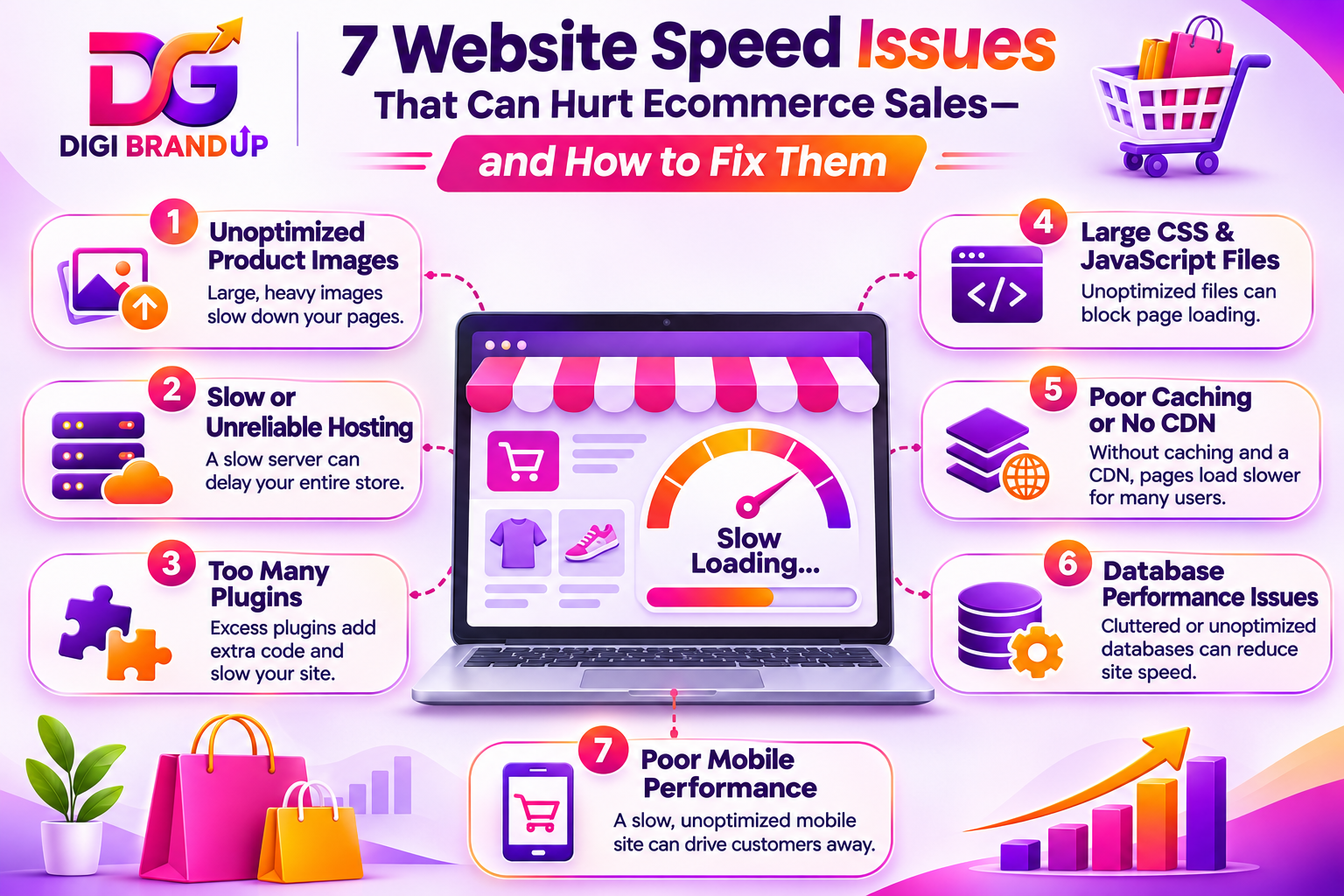
7 Website Speed Issues That Cost You Sales (Easy Fixes)
A slow ecommerce website can cost a business more than just a few visitors. When customers wait too long for product pages to load, they often leave before exploring the products. Some may even abandon their shopping carts because the checkout process feels slow or unreliable.
Many online store owners focus on advertising, product pricing, and social media campaigns. However, they overlook website speed issues that directly affect the shopping experience. Even a well-designed store can struggle to generate sales when pages take too long to load.
Website speed issues can also affect mobile usability, search visibility, and customer trust. Therefore, improving website performance should be an important part of every ecommerce growth strategy.
In this guide, we will explore seven common website speed issues, explain why they happen, and share practical ways to fix them.
Why Website Speed Matters for Ecommerce Sales
Online shoppers expect websites to respond quickly. They want to browse products, compare prices, check product details, and complete purchases without unnecessary delays.
A slow website creates friction at every stage of the buying journey. For example, a customer visiting an online clothing store may leave if product images take several seconds to appear. Similarly, a delayed checkout page can make customers question whether their payment is being processed.
Website speed issues can affect several important business areas:
- Customer experience: Slow pages make browsing frustrating.
- Conversion rates: Customers may abandon purchases before completing checkout.
- Mobile shopping: Heavy websites often perform poorly on mobile networks.
- SEO performance: Poor Core Web Vitals can indicate a weaker page experience.
- Customer trust: Delays and unexpected page behaviour can make a store appear unreliable.
Website performance is not simply a technical concern. It directly influences how customers interact with an online business.
7 Common Website Speed Issues That Hurt Ecommerce Sales
1. Unoptimized Product Images
Product images are essential for ecommerce websites. Customers depend on clear photographs to understand product colours, materials, sizes, and designs before purchasing.
However, uploading large images without optimization can create serious website speed issues. High-resolution photographs may contain several megabytes of data. Loading multiple images on a single product page can significantly increase loading time.
For example, an online fashion store displaying 20 product images may struggle when every image is uploaded in an unnecessarily large file size.
How to fix it:
- Convert images into modern formats such as WebP or AVIF.
- Compress images without noticeably reducing visual quality.
- Resize photographs according to their actual display dimensions.
- Use lazy loading for images below the initial screen.
- Avoid uploading oversized images directly from professional cameras.
Tools such as TinyPNG, Squoosh, and ShortPixel can help reduce image sizes.
Also, specify image dimensions wherever possible. This helps browsers reserve space before images finish loading.
2. Slow or Unreliable Web Hosting
Your hosting server plays an important role in website performance. Every time someone visits your store, the browser requests information from your hosting server.
If the server responds slowly, the entire shopping experience can suffer. Poor hosting resources, overloaded servers, outdated server configurations, and shared hosting limitations can create website speed issues.
This problem becomes more noticeable during seasonal sales, advertising campaigns, and high-traffic periods.
How to fix it:
- Choose hosting designed for your website platform.
- Check server response time regularly.
- Upgrade your hosting plan when resources become insufficient.
- Select a server location close to your main customer base.
- Use reliable server-side caching.
- Keep PHP, database software, and server configurations updated.
For WordPress and WooCommerce stores, managed WordPress hosting can simplify performance management.
However, upgrading hosting should not be your first reaction to every slow page. Check image sizes, plugins, and database performance before spending more money.
3. Too Many Plugins and Third-Party Scripts
Plugins make ecommerce websites easier to manage. They provide features such as payment gateways, product filters, chat support, analytics, popups, and marketing automation.
The problem starts when websites use too many unnecessary plugins or poorly optimized scripts. Each additional plugin may introduce CSS, JavaScript, database queries, or external requests.
These resources can increase loading time and create website speed issues, especially when several plugins perform similar tasks.
How to fix it:
- Remove plugins that are no longer required.
- Replace multiple plugins with one reliable solution when practical.
- Avoid installing plugins from untrusted developers.
- Update plugins and themes regularly.
- Disable unnecessary scripts on pages where they are not needed.
- Test website performance after every major plugin installation.
For example, a WooCommerce store may not need multiple popup plugins, separate product badge plugins, and several overlapping marketing tools.
A smaller, well-maintained plugin setup is usually easier to manage and troubleshoot.
4. Excessive JavaScript and CSS Files
JavaScript and CSS control how your website looks and behaves. However, poorly optimized files can delay page rendering and user interactions.
Large JavaScript files may block the browser from displaying important content. Similarly, unused CSS increases the amount of data browsers must download and process.
These website speed issues often appear on websites using multiple page builders, animation effects, sliders, and complex themes.
How to fix it:
- Minify CSS and JavaScript files.
- Remove unused CSS where possible.
- Defer non-critical JavaScript.
- Delay third-party scripts that are not required immediately.
- Reduce unnecessary animations and sliders.
- Load essential resources before less important elements.
Tools such as WP Rocket, LiteSpeed Cache, and Autoptimize can help WordPress users manage these optimizations.
Be careful when enabling multiple optimization settings together. Aggressive JavaScript delay or CSS optimization can break menus, product filters, payment features, and other important functions.
Always test the complete shopping process after making changes.
5. No Proper Browser Caching or CDN Integration
When customers revisit your website, their browsers may need to download the same resources repeatedly. Without proper caching, this creates unnecessary server requests and increases loading time.
A Content Delivery Network (CDN) helps distribute website resources through servers located in different geographical regions. This allows visitors to receive static content from a server closer to their location.
Without caching and CDN support, website speed issues can become more noticeable for customers browsing from distant locations.
How to fix it:
- Enable browser caching for static files.
- Use page caching where appropriate.
- Configure a CDN for images, CSS, JavaScript, and other static resources.
- Set suitable cache expiration periods.
- Use cache invalidation when important website content changes.
Cloudflare and other CDN providers offer solutions for improving content delivery.
For example, an Indian ecommerce business serving customers across different states can benefit from caching and CDN delivery.
Remember that dynamic checkout pages, account information, and personalized shopping carts need appropriate caching rules. Caching everything without considering customer sessions can create serious problems.
6. Poor Database Performance
Ecommerce websites regularly process database requests. Product information, customer accounts, orders, inventory, payment records, and shopping cart details all depend on database operations.
Over time, unnecessary database records, expired transients, excessive revisions, and poorly written queries can affect performance.
This is particularly important for larger WooCommerce stores with thousands of products and frequent customer activity.
Database-related website speed issues may cause product pages, search results, and admin dashboards to respond slowly.
How to fix it:
- Remove unnecessary database records after taking a backup.
- Clean expired transients and old revisions.
- Optimize database tables periodically.
- Reduce unnecessary database queries.
- Use object caching when supported by your hosting environment.
- Review plugins that frequently access the database.
For WordPress websites, tools such as WP-Optimize can help with database maintenance.
However, avoid deleting database entries manually without understanding their purpose. Incorrect changes can damage product records, orders, or customer information.
7. Poor Mobile Website Performance
A website may load quickly on a desktop computer but perform poorly on smartphones. This happens because mobile devices often have limited processing power and may use slower network connections.
Large banners, complicated layouts, oversized images, intrusive popups, and unresponsive navigation can create website speed issues on mobile devices.
For ecommerce businesses, this matters because many customers discover products and place orders through smartphones.
How to fix it:
- Use responsive website layouts.
- Optimize images specifically for mobile screens.
- Reduce unnecessary animations and background videos.
- Keep navigation simple and easy to use.
- Make product buttons and checkout controls easy to tap.
- Avoid intrusive popups that block important content.
- Test pages on actual mobile devices.
A mobile-friendly website should not simply fit inside a smaller screen. It should also load efficiently and allow customers to complete purchases without difficulty.
Businesses planning a new online store can explore DigiBrandUp’s website development and design services for responsive website solutions.
How to Check and Measure Website Speed
Fixing website speed issues starts with identifying what is actually slowing down your pages. Guessing and installing optimization plugins without testing can create more problems than they solve.
Use these tools to understand your website’s performance.
Google PageSpeed Insights
Google PageSpeed Insights measures website performance on mobile and desktop devices. It provides performance scores, diagnostic information, and suggestions for improving page loading.
Visit Google PageSpeed Insights and enter your website URL.
Pay particular attention to these Core Web Vitals:
- Largest Contentful Paint (LCP): Measures how quickly the main content appears. Aim for 2.5 seconds or less.
- Interaction to Next Paint (INP): Measures how quickly a page responds to user interactions. Aim for 200 milliseconds or less.
- Cumulative Layout Shift (CLS): Measures unexpected movement of page elements. Aim for a score of 0.1 or less.
These targets help identify website speed issues that affect real users.
GTmetrix
GTmetrix provides detailed performance reports, including loading behaviour, page size, requests, and optimization opportunities.
It can help identify large images, unnecessary scripts, and resources that delay page loading.
Google Search Console
The Core Web Vitals report in Google Search Console helps identify groups of URLs that need performance improvements.
It is particularly useful for ecommerce websites with multiple product and category pages.
Practical Ways to Prevent Website Speed Issues
Fixing existing problems is important, but preventing them from returning is equally necessary.
Follow these practices as your ecommerce store grows:
- Test important pages after installing new plugins or themes.
- Compress product images before uploading them.
- Review hosting performance regularly.
- Remove unnecessary third-party scripts.
- Update your website platform and extensions carefully.
- Monitor mobile and desktop performance separately.
- Test product pages, cart pages, and checkout pages after every major update.
Do not focus only on the homepage. A homepage may perform well while product categories, search results, and checkout pages remain slow.
A proper technical SEO strategy should include regular performance checks. You can also explore DigiBrandUp’s SEO services for technical SEO, website optimization, and search visibility improvements.
Frequently Asked Questions
1. How to optimize website speed?
Start by compressing images, enabling caching, reducing unnecessary plugins, and optimizing CSS and JavaScript. Check your hosting performance and use a CDN where appropriate. Website speed issues should be addressed according to their actual impact, rather than installing several optimization plugins without testing.
2. How to check website speed?
Use Google PageSpeed Insights to test your website on mobile and desktop. GTmetrix can provide additional details about loading behaviour and resource requests. These tools help identify website speed issues and recommend practical improvements.
3. How to increase website speed?
Reduce image sizes, improve server response time, enable caching, remove unnecessary scripts, and optimize database performance. Also, use lightweight themes and responsive layouts. Regular testing helps ensure that website speed issues do not return after updates.
4. How to optimize website speed for ecommerce stores?
Focus on product image optimization, fast hosting, efficient caching, and a lightweight checkout experience. Avoid unnecessary plugins and third-party scripts. Monitor website speed issues across product pages, category pages, shopping carts, and checkout pages.
5. How to test website speed on mobile?
Open Google PageSpeed Insights, enter your website URL, and select the mobile report. Review LCP, INP, CLS, and the suggested improvements. Test important shopping pages separately to identify website speed issues affecting smartphone users.
Conclusion
Website performance can directly influence ecommerce sales, customer experience, and search visibility. From oversized images to poor hosting and database problems, website speed issues can make customers leave before purchasing. Identify the biggest problems, apply practical fixes, and monitor performance regularly. A faster, smoother shopping experience helps customers browse confidently and complete their orders.