


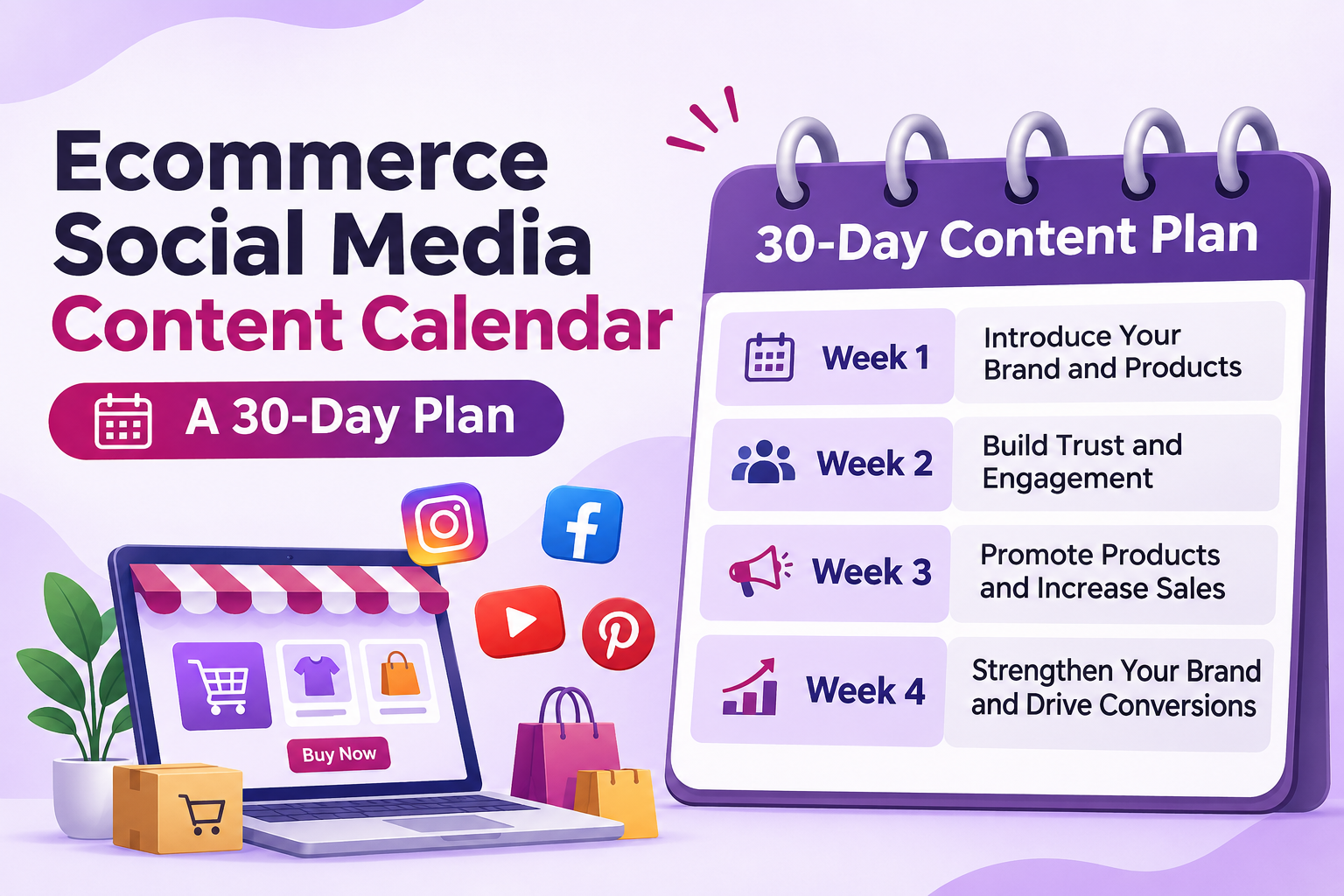
30-Day Powerful Ecommerce Social Media Content Calendar
Running an online store requires more than uploading product pictures and waiting for customers. You need regular social media activity, useful content, and a clear posting strategy. Without proper planning, creating fresh posts every day can become difficult.
An effective Ecommerce Social Media Content calendar helps online businesses organise their posts, maintain consistency, and connect with potential buyers. It also makes it easier to promote products, share customer experiences, and introduce new collections.
Whether you sell clothing, electronics, beauty products, or home accessories, a 30-day plan can make your marketing efforts more organised. Here is a practical calendar that your ecommerce business can start using today.
Why Does Your Ecommerce Business Need a Social Media Content Calendar?
Posting randomly makes it difficult to maintain a consistent brand presence. A content calendar gives every post a purpose and helps you plan campaigns in advance.
With a structured Ecommerce Social Media Content strategy, you can:
- Maintain consistency: Plan posts in advance instead of creating them at the last minute.
- Promote products: Introduce new arrivals, bestsellers, and seasonal collections.
- Build customer trust: Share reviews, testimonials, and real product experiences.
- Increase engagement: Use polls, questions, videos, and interactive posts.
- Save time: Prepare captions, graphics, and videos in batches.
- Track performance: Understand which content attracts customers and generates sales.
A good calendar should balance promotional, educational, entertaining, and customer-focused posts. Avoid turning every post into a sales advertisement.
How to Create an Ecommerce Social Media Content Calendar
Before preparing your 30-day schedule, understand your audience and business goals.
1. Choose the Right Social Media Platforms
You don’t need to publish everywhere. Focus on platforms where your potential customers spend their time.
- Instagram: Product photography, Reels, Stories, and customer content.
- Facebook: Product promotions, community engagement, and customer feedback.
- Pinterest: Product inspiration, fashion ideas, and lifestyle collections.
- YouTube: Product demonstrations, tutorials, and detailed reviews.
Choose two or three platforms initially. This makes managing Ecommerce Social Media Content easier without stretching your resources.
2. Decide Your Content Categories
Create different content categories to keep your feed interesting.
- Product-focused posts
- Educational content
- Customer reviews
- Behind-the-scenes videos
- Seasonal promotions
- User-generated content
- Interactive Stories and polls
This approach ensures your Ecommerce Social Media Content doesn’t become repetitive.
3. Prepare Your Content in Advance
Create product images, short videos, captions, and promotional graphics before publishing. Use tools like Canva for designs and Meta Business Suite for scheduling eligible Facebook and Instagram content.
You can also explore Meta Blueprint’s content calendar training to understand how businesses organise their social media posts.
30-Day Ecommerce Social Media Content Calendar
Here is a simple 30-day posting plan for online stores. You can adapt these ideas to your products, audience, and marketing goals.
Week 1: Introduce Your Brand and Products
| Day | Content Idea | Format |
|---|---|---|
| Day 1 | Introduce your brand and share your story | Carousel |
| Day 2 | Showcase your bestselling product | Reel |
| Day 3 | Share three benefits of your product | Carousel |
| Day 4 | Post a customer review or testimonial | Image |
| Day 5 | Show how your product is made or packed | Reel |
| Day 6 | Share a product styling or usage tip | Reel |
| Day 7 | Ask followers about their favourite products | Story Poll |
Week 2: Build Trust and Engagement
| Day | Content Idea | Format |
|---|---|---|
| Day 8 | Share a before-and-after product result | Carousel |
| Day 9 | Answer frequently asked customer questions | Reel |
| Day 10 | Highlight product quality and features | Image |
| Day 11 | Share customer-generated content | Story |
| Day 12 | Create a product comparison post | Carousel |
| Day 13 | Show a behind-the-scenes business moment | Reel |
| Day 14 | Run a quiz or interactive poll | Story |
Week 3: Promote Products and Increase Sales
| Day | Content Idea | Format |
|---|---|---|
| Day 15 | Introduce a new product or collection | Reel |
| Day 16 | Share a limited-time discount | Image |
| Day 17 | Demonstrate how to use a product | Reel |
| Day 18 | Highlight your top three products | Carousel |
| Day 19 | Share a customer success story | Image |
| Day 20 | Explain why customers should choose your brand | Reel |
| Day 21 | Announce a weekend special offer | Story |
Week 4: Strengthen Your Brand and Drive Conversions
| Day | Content Idea | Format |
|---|---|---|
| Day 22 | Share a detailed product demonstration | Reel |
| Day 23 | Post a packaging and shipping video | Reel |
| Day 24 | Share a product care guide | Carousel |
| Day 25 | Highlight customer feedback | Image |
| Day 26 | Create a frequently asked questions post | Carousel |
| Day 27 | Promote a bundle or product combination | Reel |
| Day 28 | Share a behind-the-scenes team video | Story |
| Day 29 | Recap your popular products this month | Carousel |
| Day 30 | Share a monthly offer with a clear CTA | Reel |
This 30-day Ecommerce Social Media Content plan gives your store a balanced mix of brand awareness, engagement, and promotional activities.
You don’t have to publish every idea in exactly the same format. Adapt each post to the platform and your available resources.
Best Tools to Manage Ecommerce Social Media Content
Managing daily posts becomes easier when you use the right tools.
- Canva: Create product graphics, promotional banners, and carousel posts.
- Meta Business Suite: Schedule and manage eligible Facebook and Instagram content.
- Buffer: Organise publishing schedules across supported social platforms.
- Google Sheets: Maintain your monthly content calendar and track deadlines.
- CapCut: Edit short product videos and promotional Reels.
Start with simple tools instead of investing in several paid platforms immediately. Your Ecommerce Social Media Content strategy matters more than the number of tools you use.
How to Measure Your Social Media Content Performance
Publishing posts regularly is only one part of the process. You also need to understand how people respond to your content.
Track these important metrics every month:
- Reach: How many unique users see your posts?
- Engagement rate: How actively do people interact with your content?
- Website clicks: How many visitors reach your online store?
- Conversions: How many social media visitors complete a purchase?
- Saves and shares: Which posts provide enough value for people to revisit or share?
Use these results to improve your next Ecommerce Social Media Content calendar. For example, if product demonstration Reels generate more website visits than static images, create more demonstration videos.
Businesses looking for professional planning and campaign support can explore DigiBrandUp’s Social Media Marketing and Management Services.
Frequently Asked Questions
1. How to improve social media content for ecommerce?
Improve Ecommerce Social Media Content by using clear product images, informative captions, short demonstration videos, and genuine customer reviews. Focus on answering customer questions and highlighting product benefits. Also, review engagement and conversion data regularly to identify which formats perform best.
2. How to use content curation on social media for an ecommerce store?
Content curation means sharing relevant information from reliable sources alongside your original posts. You can share industry updates, styling inspiration, product care advice, and useful customer tips. Always credit original creators and ensure curated Ecommerce Social Media Content remains relevant to your audience.
3. How to find social media content ideas for ecommerce?
Look at customer questions, product reviews, competitor posts, trending topics, and frequently searched queries. Your customer support conversations can also provide useful ideas. Turn these insights into tutorials, product comparisons, demonstrations, and educational Ecommerce Social Media Content.
4. How to make social media content more engaging for an online store?
Use short videos, interactive polls, product demonstrations, giveaways, and customer testimonials. Ask questions that encourage followers to participate. Show how products solve everyday problems instead of simply displaying their prices. Strong visuals and relevant Ecommerce Social Media Content can encourage more meaningful interactions.
5. How to create a social media content plan for ecommerce?
Start by defining your business goals and identifying your target audience. Select suitable platforms, choose content categories, and prepare a 30-day schedule. Include product promotions, educational posts, customer reviews, and interactive content. Review your Ecommerce Social Media Content performance monthly and update the plan accordingly.
Conclusion
A consistent social media strategy helps ecommerce businesses build trust, improve engagement, and attract potential customers. A 30-day Ecommerce Social Media Content calendar makes planning easier while keeping promotional and educational posts balanced. Start with simple ideas, monitor your results, and improve your schedule every month. Remember, useful content and consistency matter more than posting frequently.