
5 Email Automation Flows Every Shopify Store Should Set Up
Running a Shopify store involves more than adding products and attracting visitors. You also need to maintain customer relationships and encourage people to complete their purchases. However, manually sending emails to every customer takes time and effort.
This is where Email Automation becomes useful. It allows Shopify store owners to send timely, relevant emails based on customer actions. From welcoming new subscribers to recovering abandoned carts, automated emails help businesses stay connected with shoppers.
A well-planned Email Automation strategy can improve customer engagement, recover lost sales, and encourage repeat purchases. Instead of sending the same promotional message to everyone, you can deliver emails based on individual shopping behaviour.
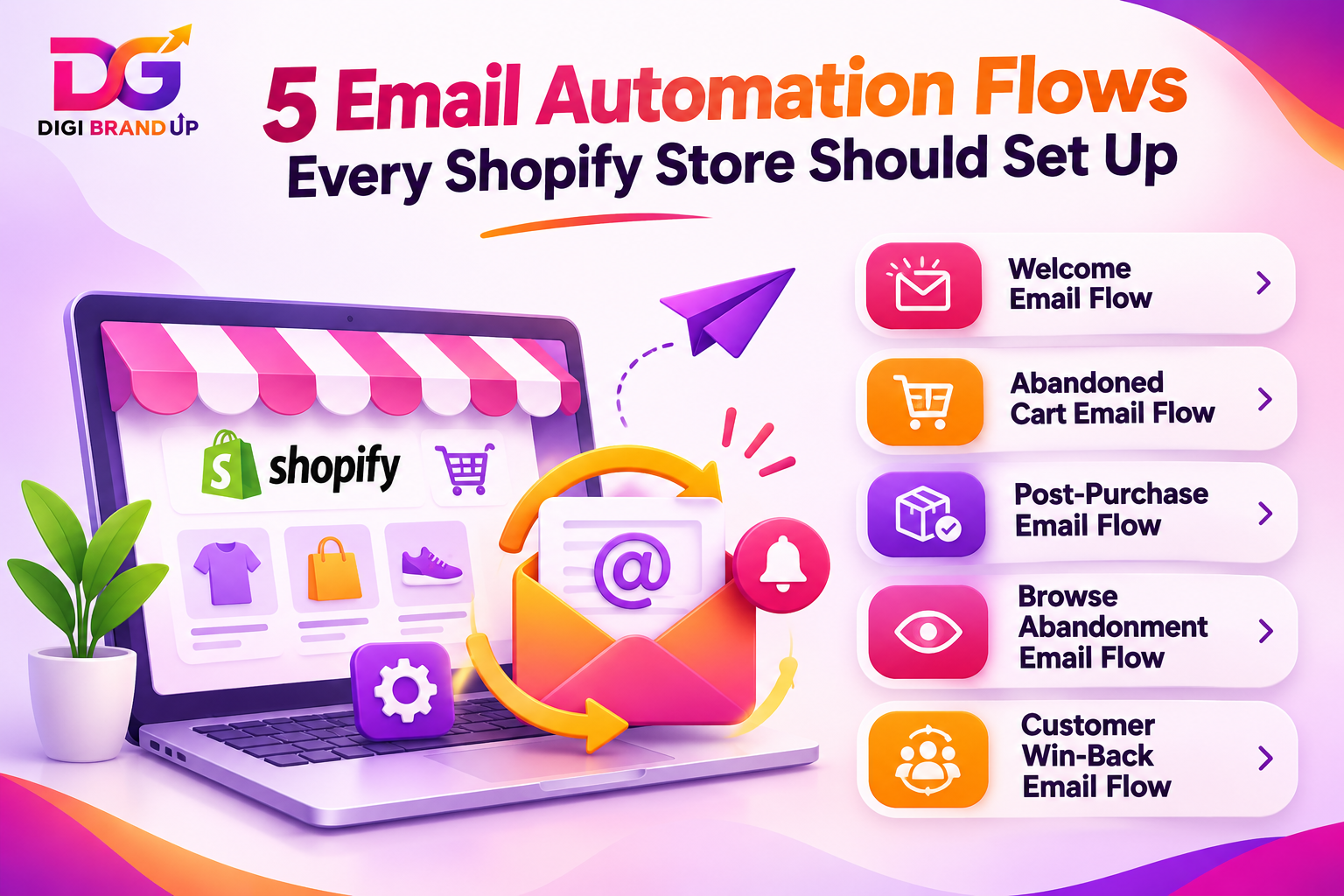
Here are five important Email Automation flows every Shopify store should set up.
- Why Does Email Automation Matter for Shopify Stores?
Customers interact with online stores in different ways. Some browse products without buying, while others add items to their carts and leave. First-time buyers may also need guidance before making another purchase.
Email Automation helps businesses respond to these situations automatically. It sends relevant messages when customers take specific actions.
For example, a welcome email can introduce your brand to new subscribers. Similarly, a checkout reminder can bring interested shoppers back to complete their orders.
The biggest advantage is consistency. Your store can communicate with customers even when you are busy managing inventory, orders, and marketing campaigns.
1. Welcome Email Flow for New Subscribers
First impressions matter in ecommerce. When someone subscribes to your newsletter, they are showing interest in your brand. However, leaving that subscriber without a response can waste an important opportunity.
A welcome email flow introduces your business and gives new subscribers a reason to explore your products.
How to Set Up a Welcome Email Flow
Create an automated email that triggers immediately after someone subscribes to your mailing list.
Your welcome sequence can include:
- Email 1: Thank the subscriber and introduce your brand.
- Email 2: Highlight popular products and customer favourites.
- Email 3: Share a first-order discount, if appropriate.
For example, a clothing store can welcome subscribers with a short introduction and showcase its latest collection.
Keep the message friendly and useful. Avoid sending too many promotional emails immediately.
A welcome sequence helps build trust and introduces customers to your store. It also gives your Email Automation strategy a strong starting point.
2. Abandoned Cart Email Flow
Cart abandonment is one of the biggest challenges for online stores. Customers often add products to their carts but leave without completing their purchases.
Sometimes they get distracted. Others may hesitate because of shipping costs, payment concerns, or unexpected expenses.
An abandoned cart Email Automation flow reminds shoppers about the products they left behind.
How to Set Up Abandoned Cart Emails
Create a workflow that triggers when a customer adds products to their cart but does not complete checkout.
A simple sequence can include:
- First reminder: Send after approximately 1 hour.
- Second reminder: Send after 24 hours with additional product information.
- Final reminder: Send after 48–72 hours, possibly with a limited discount.
For example, if someone adds a pair of shoes to their cart and leaves, send a friendly reminder with the product image and a direct checkout link.
Your message should make returning to the store easy.
Avoid offering discounts in every reminder. Otherwise, customers may start abandoning carts intentionally to receive better offers.
Shopify provides built-in options for creating abandoned checkout automations. You can also customize their timing and email content.
3. Post-Purchase Email Flow
The customer journey should not end after someone places an order. In fact, the period immediately after a purchase is an excellent opportunity to build a long-term relationship.
A post-purchase Email Automation flow keeps customers informed and encourages them to return.
What Should a Post-Purchase Sequence Include?
Consider creating the following sequence:
- Order confirmation: Thank customers and confirm their purchase.
- Shipping update: Share delivery information when available.
- Product guidance: Provide useful instructions or product care tips.
- Review request: Ask for feedback after the customer receives the product.
- Related products: Recommend complementary items when relevant.
For example, a skincare store can send product usage instructions after an order. Later, it can recommend related products based on the customer’s purchase.
Keep transactional updates separate from promotional messages. Also, make sure marketing emails follow applicable consent requirements.
This Email Automation flow improves the buying experience and creates opportunities for repeat sales.
4. Browse Abandonment Email Flow
Not every interested customer adds a product to their cart. Some visitors simply browse product pages, compare options, and leave without taking further action.
Browse abandonment emails help bring these visitors back to products they previously explored.
How to Create Browse Abandonment Emails
Set up a workflow that identifies visitors who viewed specific products but did not add them to their carts or complete a purchase.
Your email can include:
- The product they recently viewed.
- A few important product benefits.
- Customer reviews or ratings, where available.
- A direct link to the product page.
For example, someone browsing a wireless headphone collection may receive an email highlighting the product’s battery life, sound quality, and available colours.
However, avoid sending emails to visitors whose email addresses you do not have permission to use.
This Email Automation flow works particularly well for stores with multiple product categories and longer buying decisions.
5. Customer Win-Back Email Flow
Getting a new customer is important, but encouraging existing customers to purchase again is equally valuable.
Some customers purchase once and never return. Others become inactive because they forget about your store or find alternatives.
A win-back Email Automation flow helps reconnect with these customers.
How to Build a Customer Win-Back Sequence
Start by identifying customers who have not purchased within a specific period. The ideal period depends on your product category and average buying cycle.
For example, you could create this sequence:
- After 30 days: Share new arrivals or relevant product recommendations.
- After 45 days: Highlight customer favourites or useful collections.
- After 60 days: Offer a personalised discount, if appropriate.
For a beauty store, you might recommend products related to a customer’s previous purchase. For a fashion store, you could highlight new seasonal collections.
Avoid sending repeated promotional messages to inactive subscribers. If customers remain unresponsive, consider removing them from promotional sequences according to your retention policy.
This Email Automation strategy helps maintain customer relationships and creates more opportunities for repeat purchases.
Best Tools for Shopify Email Automation
Choosing the right platform depends on your store size, budget, and marketing requirements.
Here are some commonly used options:
- Shopify Messaging: Useful for creating basic marketing automations directly within Shopify.
- Klaviyo: Offers advanced segmentation, customer data, and ecommerce email workflows.
- Omnisend: Combines email and SMS marketing with pre-built automation workflows.
- Mailchimp: Provides email campaigns, audience management, and automation features.
Before selecting a platform, compare its pricing, integration options, reporting features, and available automation triggers.
You do not need multiple expensive tools to get started. Begin with essential workflows and expand as your customer database grows.
For additional support with online store growth, explore DigiBrandUp’s e-commerce services.
Tips to Improve Your Email Automation Performance
Setting up workflows is only the first step. You also need to monitor their performance and improve the messages over time.
Keep these practices in mind:
- Write clear subject lines: Tell customers what the email contains.
- Personalise messages: Use relevant customer and product information.
- Add clear CTAs: Make the next action easy to understand.
- Optimise for mobile: Ensure emails look good on smaller screens.
- Track performance: Monitor open rates, clicks, conversions, and revenue.
- Avoid excessive emails: Give customers enough time between messages.
- Test different versions: Compare subject lines, timing, and email layouts.
You should also monitor unsubscribe rates and spam complaints. These indicators can reveal whether your messages are becoming irrelevant or excessive.
For official setup instructions, visit <a href=”https://help.shopify.com/en/manual/promoting-marketing/create-marketing/shopify-messaging/marketing-automations/create” rel=”nofollow”>Shopify’s marketing automation guide</a>.
Frequently Asked Questions
1. What is email automation?
Email Automation is the process of sending emails automatically when customers perform specific actions. For example, Shopify stores can send welcome messages, abandoned cart reminders, order updates, and promotional emails without manually contacting every customer.
2. What is the main benefit of email automation?
The main benefit of Email Automation is saving time while maintaining consistent customer communication. It helps businesses recover abandoned carts, improve engagement, encourage repeat purchases, and deliver relevant messages based on customer behaviour.
3. What does email automation refer to?
Email Automation refers to using software and predefined workflows to send emails based on triggers, customer activity, or scheduled events. These workflows allow Shopify stores to communicate with subscribers and customers at relevant stages of their shopping journey.
4. What does email automation reduce?
Email Automation reduces repetitive manual work, missed follow-ups, inconsistent communication, and the time required to manage customer emails. It also helps reduce delays when responding to common customer actions, such as subscribing or abandoning checkout.
5. How does email automation work?
Email Automation works through triggers, conditions, and scheduled actions. When a customer subscribes, places an order, or abandons checkout, the system identifies the event and sends the appropriate email according to the configured workflow.
Conclusion
Email Automation helps Shopify stores build stronger customer relationships while reducing repetitive marketing tasks. Start with welcome emails, abandoned cart reminders, post-purchase messages, browse abandonment, and win-back campaigns. Monitor their performance and improve each workflow over time. A well-managed Email Automation strategy can turn more store visitors into customers and encourage existing buyers to return.